Why We Built grimDMARC Around Customers, Not Domains
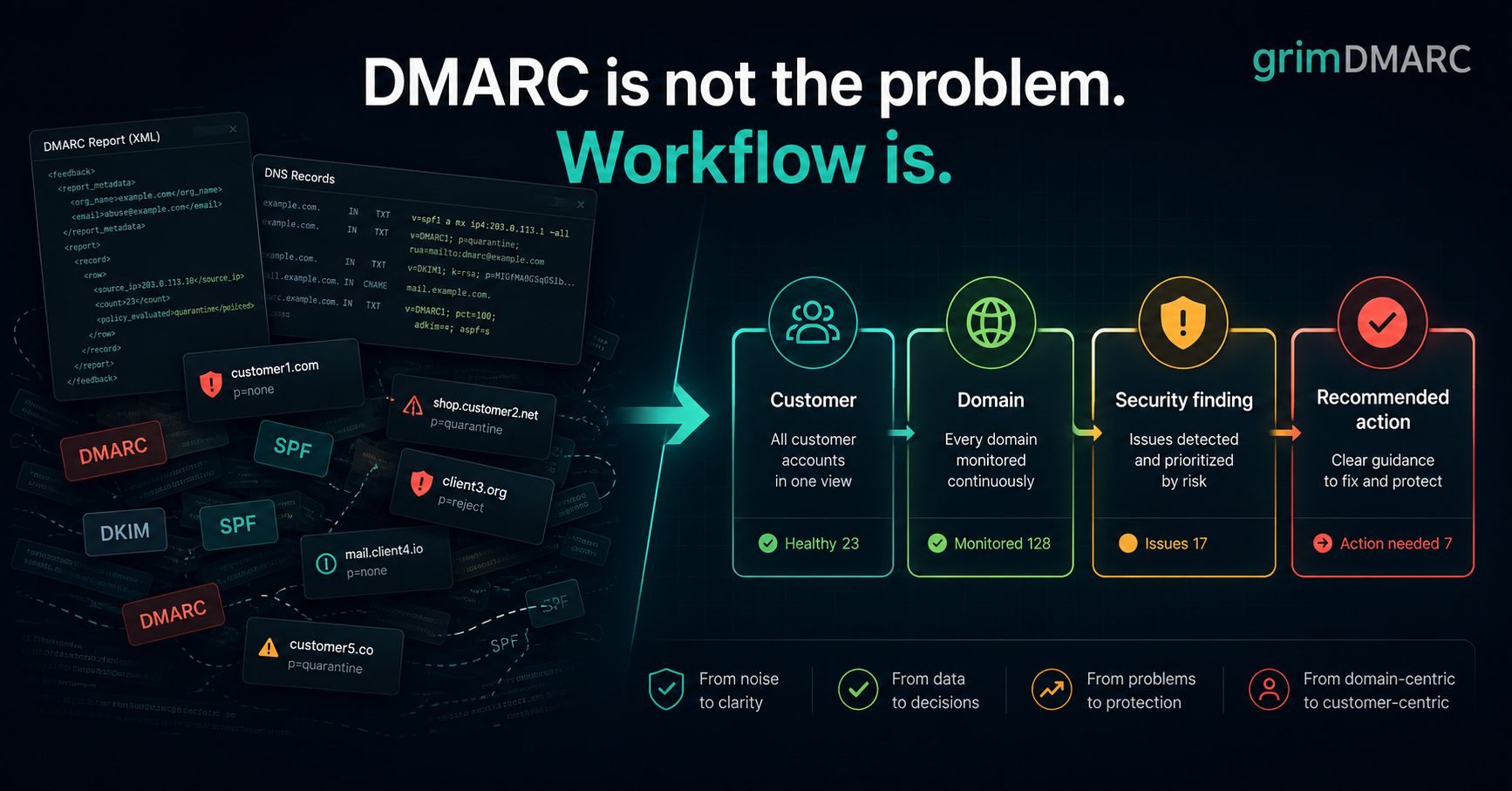
Over the last few months we've spent evenings and weekends building grimDMARC — a DMARC and email security platform for Managed Service Providers.
Like most technical people, we started with the technology. DMARC. SPF. DKIM. DNS. XML aggregate reports. We assumed those would be the hard parts.
They weren't.
The real problem wasn't the protocol
Once you sit down with the specifications, DMARC, SPF and DKIM are well-documented, mechanical problems. If you want the technical primer, What is DMARC? and the free DMARC Analyzer walk through exactly how the records and reports work.
The actual surprise came from watching how MSPs use this data.
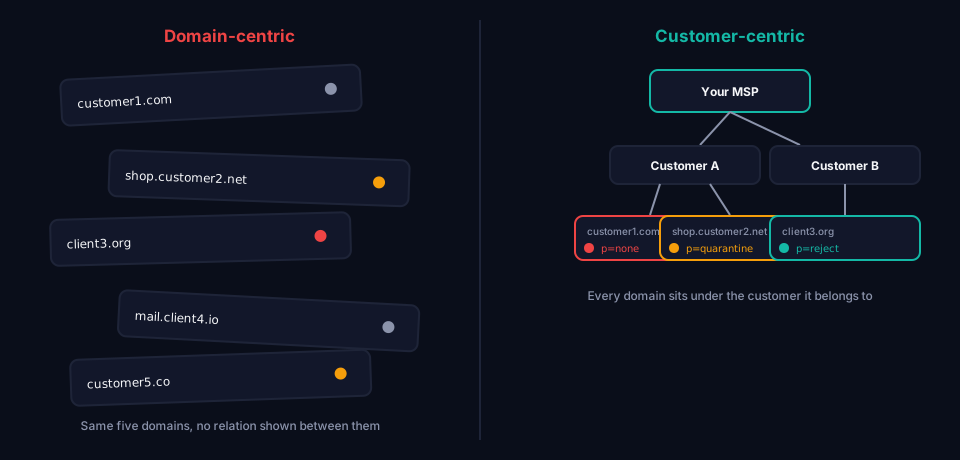
Almost every email security tool on the market is built around a single domain. That's a reasonable design if you're protecting one company. But an MSP doesn't manage a domain — it manages customers.
A typical customer might have 1–3 domains. A mid-sized MSP might have:
- 500 customers
- 1,000+ domains
- Thousands of mailboxes
- Hundreds of open support tickets
At that scale, understanding a single DMARC record isn't the bottleneck. Knowing what needs attention right now is.
What a technician actually asks
When a technician starts their day, they don't open a tool and ask "show me the XML reports" or "show me today's DMARC records." They ask:
- Who is affected?
- Which customer?
- Which domain?
- What do I do next?
That question — not the protocol — is what shaped almost every design decision in grimDMARC.
Customer → Domain → Problem → Action
Instead of building around protocols and reports, we built around that hierarchy: MSP → Customer → Domain → Service. DMARC is the first service in that model, but it's deliberately not baked into the structure as the thing — SPF, BIMI, MTA-STS and DNS monitoring plug into the same shape as we add them, without forcing a redesign.
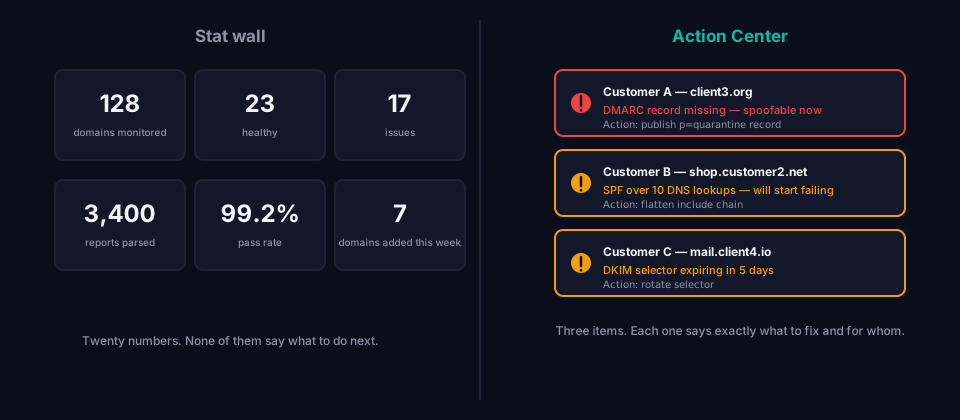
The dashboard follows the same logic. It's built to be an action list, not a stat wall — three clear items that need attention beat twenty widgets of data every time. The job isn't to say "here's your data." It's to say "here's your problem, and here's what should happen next."
If you want to see the underlying checks for yourself rather than take our word for it, Domain Scanner runs the full authentication and transport-security picture against any domain in seconds, no account required.
The actual lesson
The most useful thing we've learned building this has very little to do with DMARC itself.
A protocol solves a technical problem. A product solves an operational problem. For MSPs, the operational problem — triage, prioritization, "who do I call and what do I tell them" — is usually the harder one.
We'd be curious whether others working with Microsoft 365, Google Workspace, or managed services more broadly have run into the same pattern: was the hard part the technology, or how the work got presented to the people actually responsible for it?
What to do next
- Curious what your own domains look like today? Run them through the free Domain Scanner, SPF Analyzer or DMARC Analyzer — no account, no email address required.
- Managing this across many customers already? Hosted DMARC is built around the customer-first model described above, not a single-domain dashboard.
Frequently asked questions
Why is managing DMARC across 50+ client domains hard for an MSP?
Not because DMARC itself is complicated — the protocol is well-documented and mechanical. The difficulty is operational: at that scale you're not looking at one DNS record, you're tracking which of hundreds of domains needs attention right now, each on its own rollout timeline, each belonging to a different customer with a different contact and a different level of urgency. Most DMARC tools were built around a single domain and only added multi-customer support afterward, so they answer "what does this record say" well but don't answer "which of my 50 customers needs me today" at all.
What's the difference between a domain-centric and a customer-centric DMARC tool?
A domain-centric tool treats every domain as an independent, flat entry — grouping by customer, if it exists at all, is usually a filter or a tag bolted on afterward. A customer-centric tool makes the customer a first-class record from the data model up: domains, users, and reporting settings all belong to a customer, not the other way around. The practical difference shows up the moment you need something the domain-centric design wasn't built for — reassigning a customer's domains to a different technician, generating one report per customer instead of per domain, or scoping a login so a customer only ever sees their own data.
How does an MSP dashboard avoid becoming a wall of unreadable stats at scale?
By answering "what needs attention" instead of "what happened." A dashboard built around report volume — pass/fail counts, a compliance percentage — is genuinely informative at ten domains and unreadable at five hundred, because it hands you data instead of a decision. The alternative is a dashboard built as a ranked action list: which customer, which domain, which specific problem, ordered by what actually needs a human first. That reframing — from "here's your data" to "here's your problem and what to do next" — is what keeps a dashboard usable as the domain count grows, not a bigger monitor or a faster filter.
About this post
This post was written by the team building grimDMARC, a managed DMARC, SPF and BIMI platform for MSPs and their customers. If you have thoughts on this or want to compare notes, reach us at hello@grimdmarc.com.